What Is This Landmark? How to Identify Any Building From a Photo
· By Dr. Martin Wyss, WYSS Intelligence
Learn how to identify a landmark, building or famous place from a photo, from a quick reverse image search to reading architecture, signs and 3D map views. The guide also covers obscure buildings, look-alike landmarks and replicas, and how to confirm that the name you found is really right.
What is this landmark? The quickest way to find out
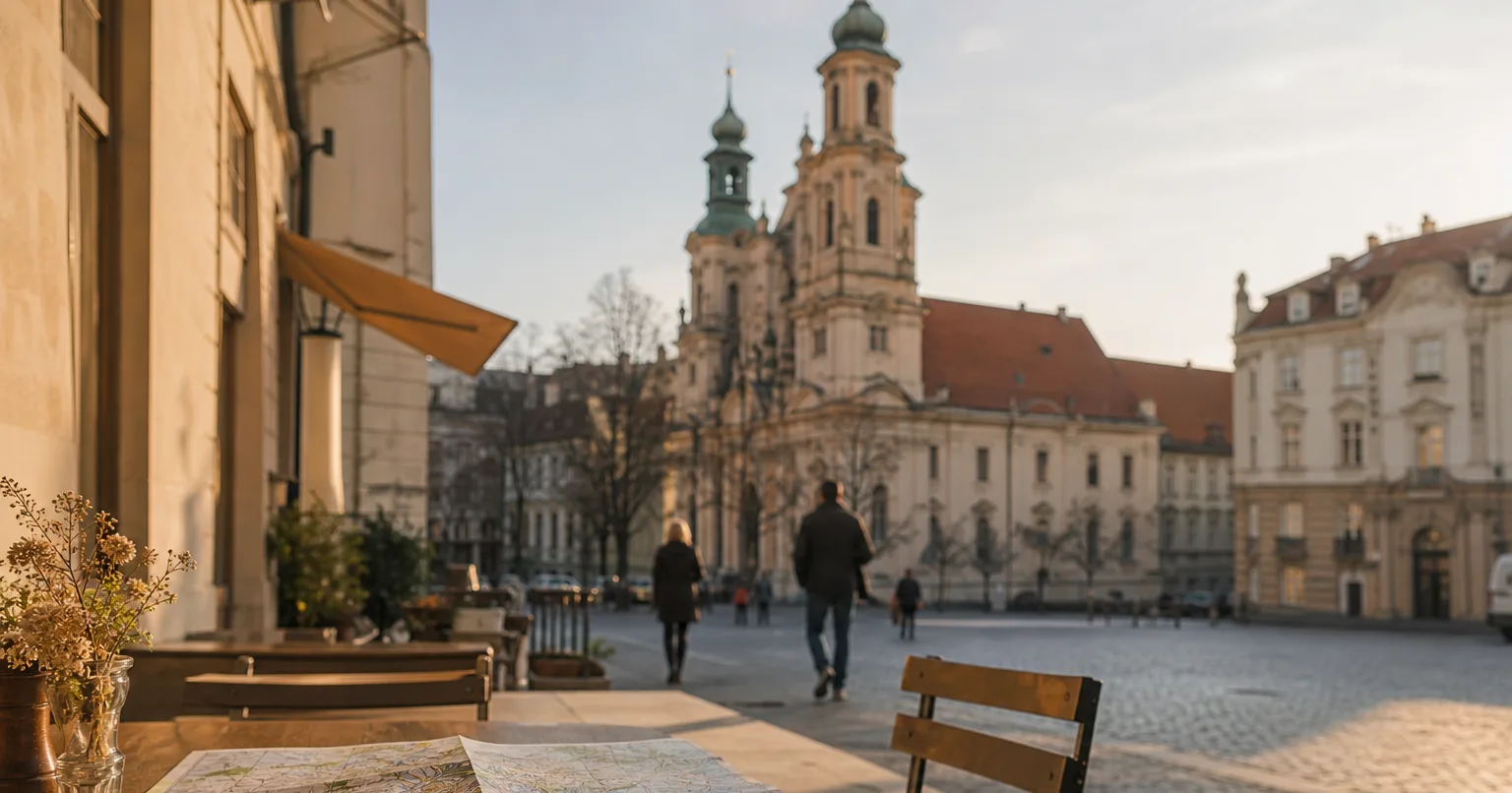
The fastest way to identify a landmark from a photo is a reverse image search. Upload the picture, or a crop of just the building, to a visual search tool such as Google Lens, Bing Visual Search or Yandex Images, and look at which named places appear among the matches. For famous sights this often gives you a name within seconds. When it does not, describe what you see in words, read the architecture and any signs, work out the likely region, and then check your candidate on a map with satellite, 3D and street-level imagery.
The second half matters as much as the first. A search result is a suggestion, not an answer. Replicas, look-alike buildings, mislabelled photos and similar churches in neighbouring towns trip people up constantly. An identification counts as confirmed only when several independent details in your photo match the candidate place, seen from a viewpoint where a person could actually stand.
This guide goes from the quick methods to the careful ones: searching by image and by description, reading architectural style and context, using maps and 3D views, tracking down buildings nobody has written about, separating twins and copies, and confirming the result. If the photo still carries GPS coordinates in its metadata, that shortcut is worth a quick look first, but most photos shared online have lost it, so everything below works from what is visible in the picture.
Search by image with Google Lens, Bing, Yandex or TinEye
Reverse image search compares your picture with images a search engine has indexed and shows visually similar ones, often with a place name attached. In Google, the camera icon in the search box or in the Google app opens Lens, and in the Chrome browser you can right-click an image and choose to search it with Google Lens. Bing Visual Search and Yandex Images also offer a camera icon in their search box, where you upload a file or paste an image address. TinEye works differently: it looks for copies of the same image, which helps you find the original upload and its caption rather than other photos of the building.
Crop before you search. A photo of a friend standing in front of a cathedral makes the search engine focus on the person, the clothes or the sky. Cut the image down to the building itself, remove text overlays and borders, and run the search again. If the building is partly hidden, try two or three crops: the whole facade, the tower alone, a distinctive window or statue. Different crops often bring up different matches.
Read the results critically. Look for a name that appears repeatedly across independent sources, such as a travel site, an encyclopedia article and a photo-sharing page, rather than trusting a single caption. Open the matching images and compare them with yours detail by detail. Our guide on how to reverse image search covers the steps on phones and computers in more depth.
Describe the building in words when image search fails
Image search struggles with unusual angles, night shots, low resolution and buildings that are rarely photographed. A text search with precise visual vocabulary can then work surprisingly well. Instead of typing old church, write what makes this one different: twin towers green copper spires red brick church river, or white church blue dome cliff sea, or round stone tower conical roof lake.
The useful words describe shape, material, colour and setting. For shape, think of spire, onion dome, pagoda roof, minaret, stepped gable, flying buttresses, colonnade, clock tower, suspension bridge or arch. For material, sandstone, red brick, whitewashed, half-timbered, granite or glass and steel. For setting, hilltop, harbour, river bank, town square, desert or island. If you have a guess about the country or city, add it, and switch to the image tab of the results so you can scan pictures quickly instead of reading pages.
Encyclopedias and photo archives help once you can narrow the search to a city. Wikipedia has lists of churches, castles, bridges and tall buildings for many cities and countries, and Wikimedia Commons sorts photos into categories by place and building type. Scrolling through a city's category of churches is slow, but it is systematic, and it often turns up the building that no search engine was willing to name.
Read the architecture: what building styles say about the region
Architectural style rarely gives you a single building, but it tells you which part of the world to search. Onion domes point towards Russia, Ukraine and other Orthodox regions, although they also crown many Catholic churches in Bavaria and Austria. Brick Gothic churches and stepped gables are typical of northern Germany, Poland and the Baltic coast. Slender pencil-shaped minarets beside a large central dome suggest the former Ottoman lands, while pagodas, stupas and curved tiled roofs lead you to East and Southeast Asia.
Colonial history leaves its own signature. Baroque churches with ornate stone facades facing a plaza are common across Latin America and the Philippines, and facades covered in glazed tiles link Portugal and Brazil. Large concrete housing blocks and monumental modernist buildings are frequent in former socialist countries. Treat each of these as a lean, not a verdict: styles travelled, and revival architecture copied Gothic, Classical and Moorish forms all over the world.
Look also at the less glamorous parts of the scene. Roof materials, window shutters, building heights, the colour of plaster and stone, and the way houses meet the street all reflect climate and local building traditions. A Gothic revival church surrounded by palm trees and low stucco houses is not in northern Europe, whatever its tower suggests at first glance.
Use the signs, script and surroundings around the landmark
The landmark is often the least informative part of the photo. Look at what stands around it: street signs, shop names, plaques, flags, vehicles, licence plates, bollards, road markings and the language on any poster. The script alone narrows things a lot. Cyrillic, Greek, Arabic, Hebrew, Thai, Devanagari, Hangul and the Chinese and Japanese scripts each limit the area to a group of countries, and the language written in that script narrows it further.
Some details carry more weight than others. A place name on a sign, a tram line number, a tourist information board or the name of a café can be searched directly and may lead you to the exact street. Driving side, plate shapes and road sign designs point to the country, as explained in our article on clues that reveal the country. If a street or direction sign is readable, the method for geolocating a photo from road signs can take you from the sign to the spot.
Nature counts too. Palm trees, birch forests, cacti, rice terraces, snowy peaks, a rocky coastline or a desert horizon all cut down the list. So does light: a sun standing low in the sky at midday suggests a high latitude or winter, while a sun nearly overhead points towards the tropics. You do not need precision at this stage, only enough to know which part of the map deserves your attention.
Check the candidate on maps, satellite and 3D views
Once you have a candidate name, go to a map. Search the name in Google Maps, Apple Maps, Bing Maps or OpenStreetMap and switch to the satellite layer where one is offered. Compare the footprint of the building with what you see in your photo: a cross-shaped church, a round tower, an inner courtyard, the curve of a bridge, the position of a river or square. If the footprint does not fit, the candidate is probably wrong, however similar the facade looked.
3D views and street-level imagery let you rebuild the viewpoint. Google Earth shows many cities in 3D, and you can tilt and rotate the view until the buildings line up as they do in your photo. Street View and similar street-level services let you stand on the road and look in the direction the photographer looked. Visitor photos attached to a place on the map are useful as well, because they show the building from the angles people usually choose.
Maps also work when you have no name yet but know the area. Search a town on the map for church, castle, tower or bridge and open each result, or pan across the satellite view looking for a shape that matches. This is slower than an image search, but it reaches buildings that search engines have never labelled. For an overview of how metadata, image search, maps and image-based estimates compare, see these ways to find a photo's location.
Methods for identifying a landmark compared
| What it finds | Effort | Limits | |
|---|---|---|---|
| Reverse image search | Named matches for well photographed places | Low, seconds per crop | Weak on rare buildings and odd angles |
| Descriptive text search | Candidates from shape, material and setting | Low to moderate | Needs precise visual vocabulary |
| Reading architecture | Likely part of the world | Moderate, needs some background knowledge | Styles were copied worldwide |
| Signs and surroundings | Country, sometimes the exact street | Moderate | Needs readable text or clear context |
| Maps and 3D views | Footprint and photographer's viewpoint | Moderate to high | Needs a candidate or small area |
How to identify a building that is not famous
Village churches, town halls, water towers, war memorials, factory chimneys and small bridges rarely appear in search results under their own name. For these, reverse the usual order. Narrow the region first from style, script, vegetation and terrain, then list the candidate buildings in that region, then compare each candidate with your photo until one fits.
Candidate lists come from several sources. Heritage registers in many countries publish protected buildings with photos and addresses. Wikipedia lists and Wikimedia Commons categories cover churches and monuments town by town. On the map, a search for the building type in each town of your shortlist shows every match, often with visitor photos. Work through them methodically and note which ones you have ruled out, so you do not check the same tower twice.
When comparing, look for details a builder would not repeat exactly: the number of windows on each storey of a tower, the shape of a clock face, a weathervane, the pattern of stone and brick, a side chapel or a later extension. Many churches in one diocese, or buildings by one architect, share a design, so the overall shape can match several places while only one has your exact window count and your exact neighbours.
The background often helps more than the building. A hill on the horizon, a second tower, a power line or the slope of the street ties a building to one location. A lone church on a plain can look like dozens of others, while the same church with a distinctive ridge behind it usually exists only once.
Narrowing down a lesser-known building
- Part of the world: Architectural style, script on signs and vegetation point to a group of countries.
- Region: Terrain, building materials and nature narrow the search to one region.
- Shortlist of towns: Place names, signs and landscape features suggest a handful of towns.
- Candidate buildings: Map searches, heritage registers and photo categories list every matching building.
- Exact viewpoint: Unique details and the background confirm one building and where the photographer stood.
Telling look-alike landmarks and replicas apart
Famous landmarks have copies, and some have siblings that simply look similar. A half-scale Eiffel Tower stands in Las Vegas, another replica rises in Tianducheng in China, and Tokyo Tower was plainly inspired by the Paris original. Replicas of the Statue of Liberty exist in many places, including a smaller one on an island in the Seine in Paris. Lisbon's Ponte 25 de Abril is often mistaken for the Golden Gate Bridge, and the Cristo Rei statue across the river from Lisbon recalls Christ the Redeemer in Rio de Janeiro. Bucharest has its own triumphal arch modelled on the Arc de Triomphe.
The surroundings almost always give a copy away. The Las Vegas tower stands among casino hotels in desert light, not among Parisian apartment blocks. The Lisbon bridge crosses the Tagus with the city's hills and red roofs around it, whereas the Golden Gate spans a strait between steep green headlands. Check what is behind and beside the landmark, the street furniture, the cars and the vegetation, before you study the landmark itself.
Scale and detail settle the rest. Compare the landmark with people, cars or doors nearby: a replica is often smaller, and miniature parks shrink landmarks until a visitor towers over them. Colour, material, the number of arches or levels and decorative details often differ between original and copy. Finally, search the landmark's name together with the word replica or copy; the list that comes back tells you which look-alikes you need to rule out.
Confirming the identification
A good working rule is three independent matches. The shape of the building is one match. A tower, a neighbouring building and a hill on the horizon that all line up from one spot are three, and that is very hard to get by coincidence. Write the matches down, because doing so makes you notice when you are leaning on a single impression.
Rebuild the viewpoint. Work out where the photographer must have stood from the angle of the facade and the way near and far objects overlap. Then visit that spot in street-level imagery or a 3D view. If no reachable place produces the same view, something is off: the photo may be mirrored, cropped from a larger image, taken from a rooftop or a drone, or it may show a different building altogether.
Time can create false mismatches. Scaffolding, a new paint colour, a spire lost to fire, a new tower block in the background or trees that have grown tall can make the right building look wrong, and an old photo can make the wrong one look right. Look for dated images of the place to see how it has changed. If the photo is part of a claim, such as a news picture or a viral post, the extra checks in our guide to fact-checking a viral photo's location apply as well.
When the searches come up empty: an estimate from the image
Sometimes nothing matches: the building is ordinary, the angle is unusual and the region is uncertain. An image-based estimate can then give you a place to start. LOCATE.photo is a web service that estimates where a photo was taken from what it shows. You upload a JPEG, PNG or WebP file, and its own technology takes over: WYSS TERRA LOCATOR works out the location from visible evidence such as signs, script, architecture, road furniture, vegetation, terrain and landmarks, and WYSS TERRA VERIFIER checks that result against the photo before it is shown.
The result gives the country, region, city and district where possible, coordinates on a map with a confidence radius and a confidence level, and each clue marked on the photo together with what it says about the place. That makes it easy to continue by hand, because you get a search area and the reasons behind it, which you can test with the map and 3D methods described above. An analysis typically takes 20 to 40 seconds and every analysis is paid with one credit. The page on how the analysis works explains the process, and the example analyses show real results next to the true location of each photo.
Treat any such result as an estimate, not proof. Photos without location evidence, such as plain interiors or close-ups, get a low confidence or no location at all, and a landmark identified this way still deserves the same confirmation as one found through a search engine.
Common mistakes and a note on privacy
The most common mistake is stopping at the first name a search engine offers. Visual search returns what looks similar, and similar is not the same. The second is trusting captions: photos get mislabelled on stock sites, social media and travel pages, and one wrong caption copied a hundred times still points to the wrong place. The third is forgetting that images can be mirrored. If lettering reads backwards or a well-known building seems reversed, flip the image and search again.
Other mistakes are subtler. Cropping too tightly removes the background that would have confirmed the place, while cropping too loosely lets people and sky dominate the search. Assuming the most famous candidate is right ignores the replicas and the many churches built to the same design. Confirming with the building alone, without its neighbours, leaves the door open to look-alikes.
Identifying a public landmark is harmless, but the same methods can reveal private homes and the places where people live, work or spend their time. Working out where someone was photographed without their consent can be unlawful and can put that person at real risk. Use these techniques on landmarks, public places and images you have a legitimate reason to check, and leave the private whereabouts of identifiable people alone.
Frequently Asked Questions
- Can Google Lens tell me what a landmark is?
- For well-known, often photographed landmarks, Google Lens and similar visual search tools frequently suggest the right name quickly. Crop the photo to the building first so the search does not focus on people or sky. Treat the name as a candidate and confirm it on a map before relying on it.
- How do I identify a building that is not famous?
- Narrow the region first from the architecture, script on signs, vegetation and terrain. Then list candidate buildings in that region using map searches, heritage registers and photo archive categories. Compare unique details such as window counts, clock faces and the background until only one candidate fits.
- How can I tell if a landmark in a photo is a replica?
- Look at the surroundings first, since replicas usually stand in very different settings from the original. Compare the landmark's size with people, cars and doors nearby, and check colour, material and decorative details. Searching the landmark's name with the word replica shows which copies you need to rule out.
- What should I do if reverse image search finds nothing?
- Try different crops of the building, then switch to a text search that describes its shape, material, colour and setting. Use signs, script and nature in the photo to narrow the region, and scan that area on a map with satellite and street-level views. An image-based location estimate can also give you a search area to check by hand.
- Can I find where a landmark photo was taken without GPS data?
- Yes, most landmark identifications work from what is visible rather than from metadata. Architecture, signs, surroundings and the background let you find the building, and 3D or street-level views let you reconstruct where the photographer stood. The result is as reliable as the number of independent details that match.
- Does LOCATE.photo identify landmarks?
- LOCATE.photo estimates where a photo was taken from what it shows, and landmarks are among the visible clues it uses alongside signs, script, architecture and terrain. The result includes coordinates, a confidence radius and each clue marked on the photo. Every analysis is paid, and the result is an estimate that should still be confirmed.
- Is it legal to find out where someone's photo was taken?
- Identifying a public landmark is generally unproblematic. Locating a photo of a person, or their home or regular whereabouts, without their consent can be unlawful and can cause real harm. Use location methods only where you have a legitimate reason and respect the privacy of the people shown.